

Assigning Roles in Survey
After creating a survey, you will be redirected to the Survey Details page. Before publishing the survey, there are a few important steps to complete. One of the key steps is assigning roles to ensure proper review and quality control.
Why Assign Roles?
Assigning roles helps establish a clear workflow:
-
Ensures the survey is reviewed before publishing
-
Maintains quality and accuracy of questions
-
Enables collaboration within your organization
Available Roles
You need to assign two types of roles:
1. Author
-
The Author is responsible for creating and editing the survey
-
Can:
-
Modify questions
-
Update options
-
Make changes based on feedback
-
This role ensures the survey is properly structured and finalized.
2. Reviewer
-
The Reviewer is responsible for checking the survey before publishing
-
Can:
-
Review the complete survey
-
Identify issues or improvements
-
Add comments or suggestions
-
This role ensures the survey is validated before it is sent to recipients.
How to Assign Roles
-
On the Survey Details page, you will find options to assign:
-
Author
-
Reviewer
-
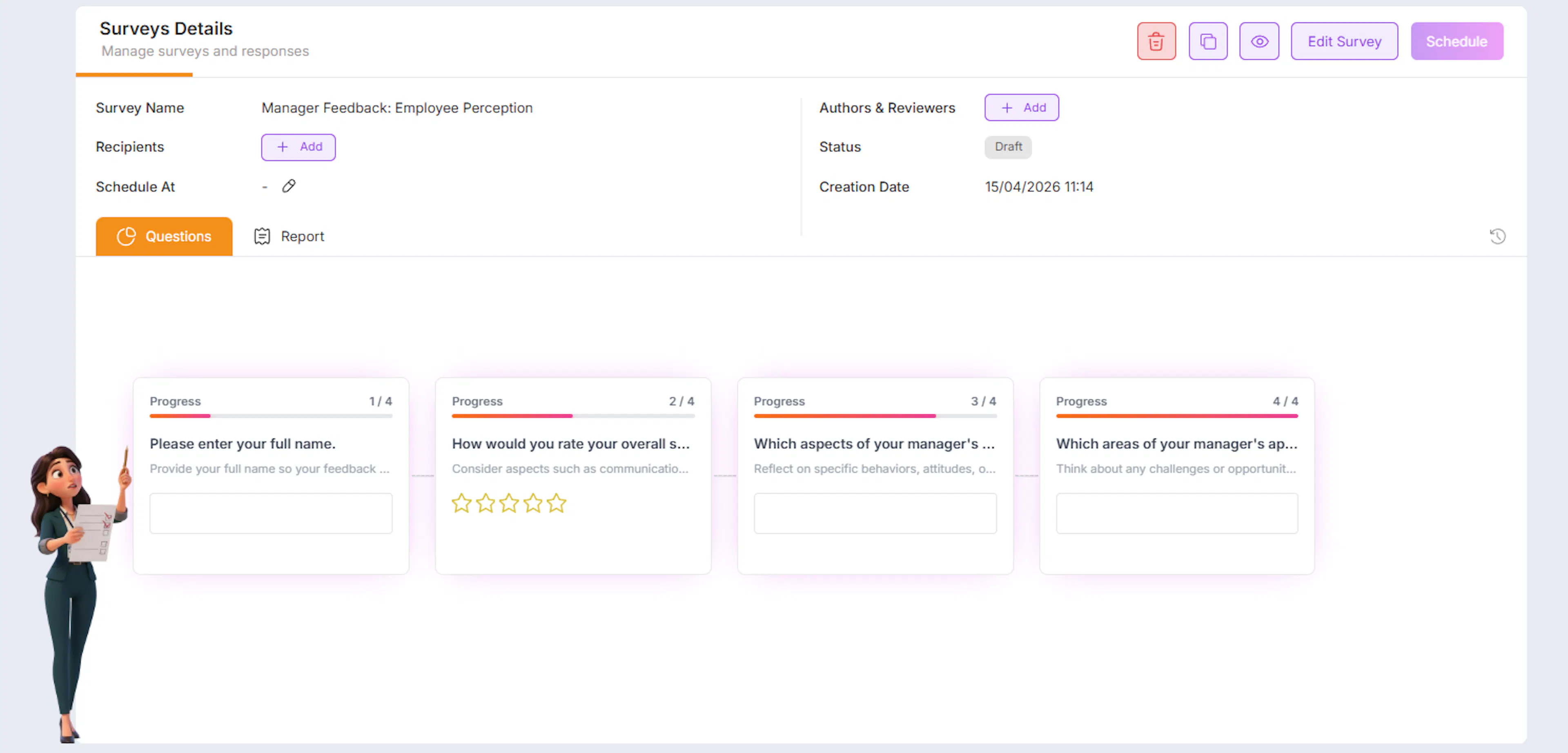
- Click on the (+ Add) button in front of field of Authors & Reviewers popup will appear
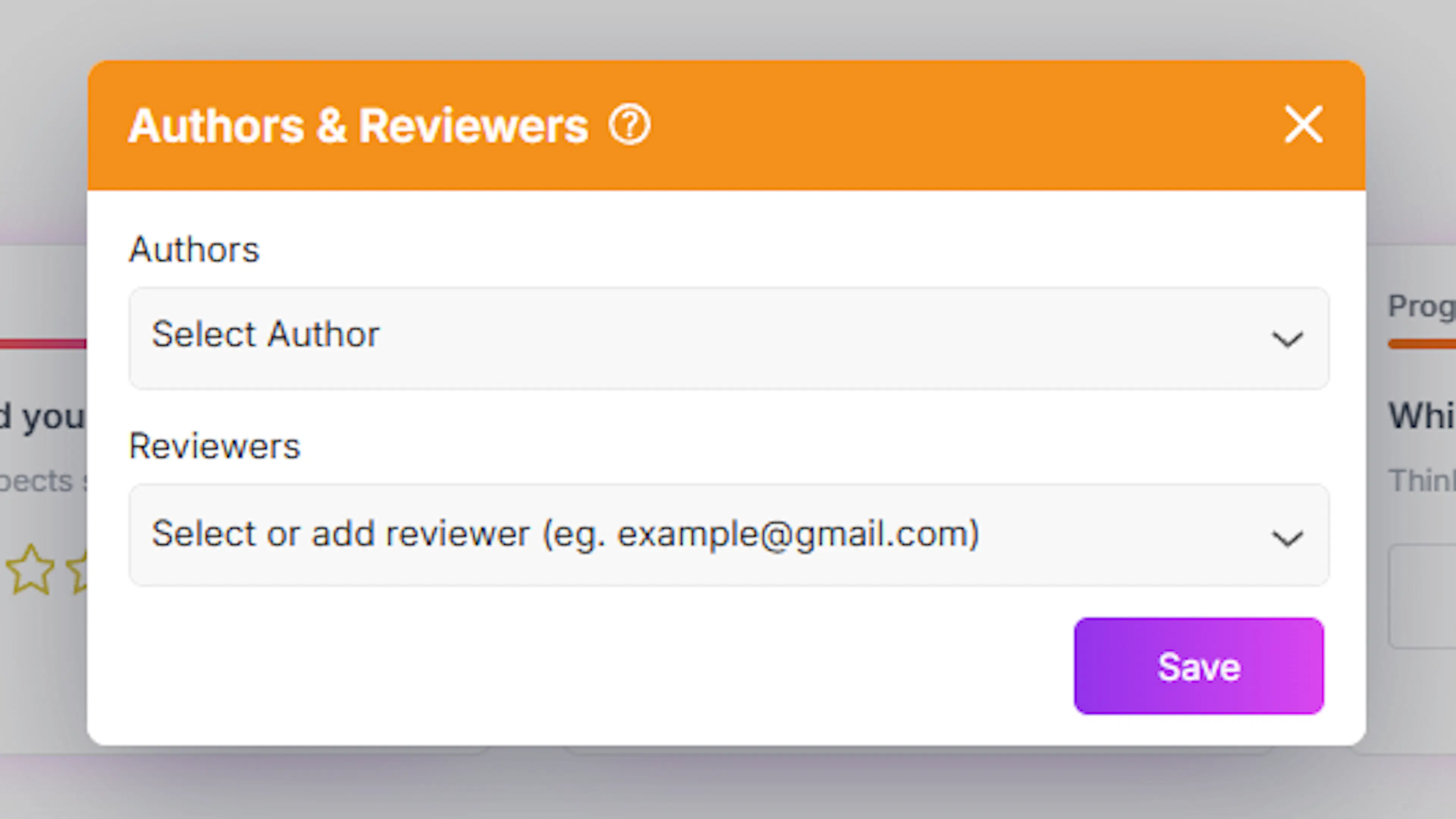
- Select users from the dropdown list
Important:
-
The list will show users from your organization
-
These users must already be added through User Management
Review Process Flow
Once roles are assigned, the workflow works as follows:
-
Author prepares the survey
- Creates or edits the survey
-
Reviewer receives access
- Reviewer gets a preview link via email
-
Reviewer checks the survey
-
Reviews questions, options, and structure
-
Ensures clarity and correctness
-
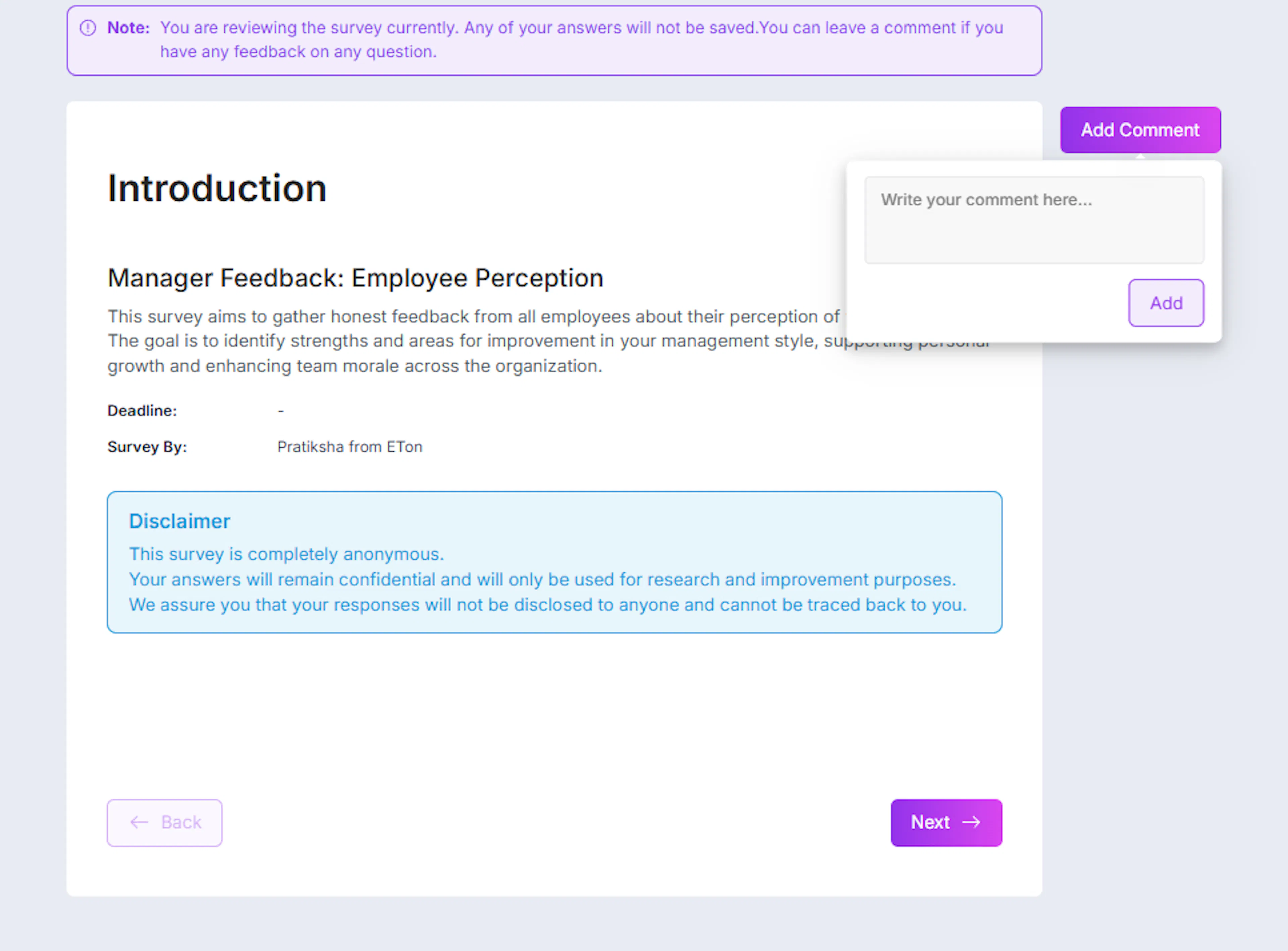
-
Reviewer adds comments
- If any issue is found, comments can be added
-
Author updates the survey
-
Makes necessary changes based on feedback
-
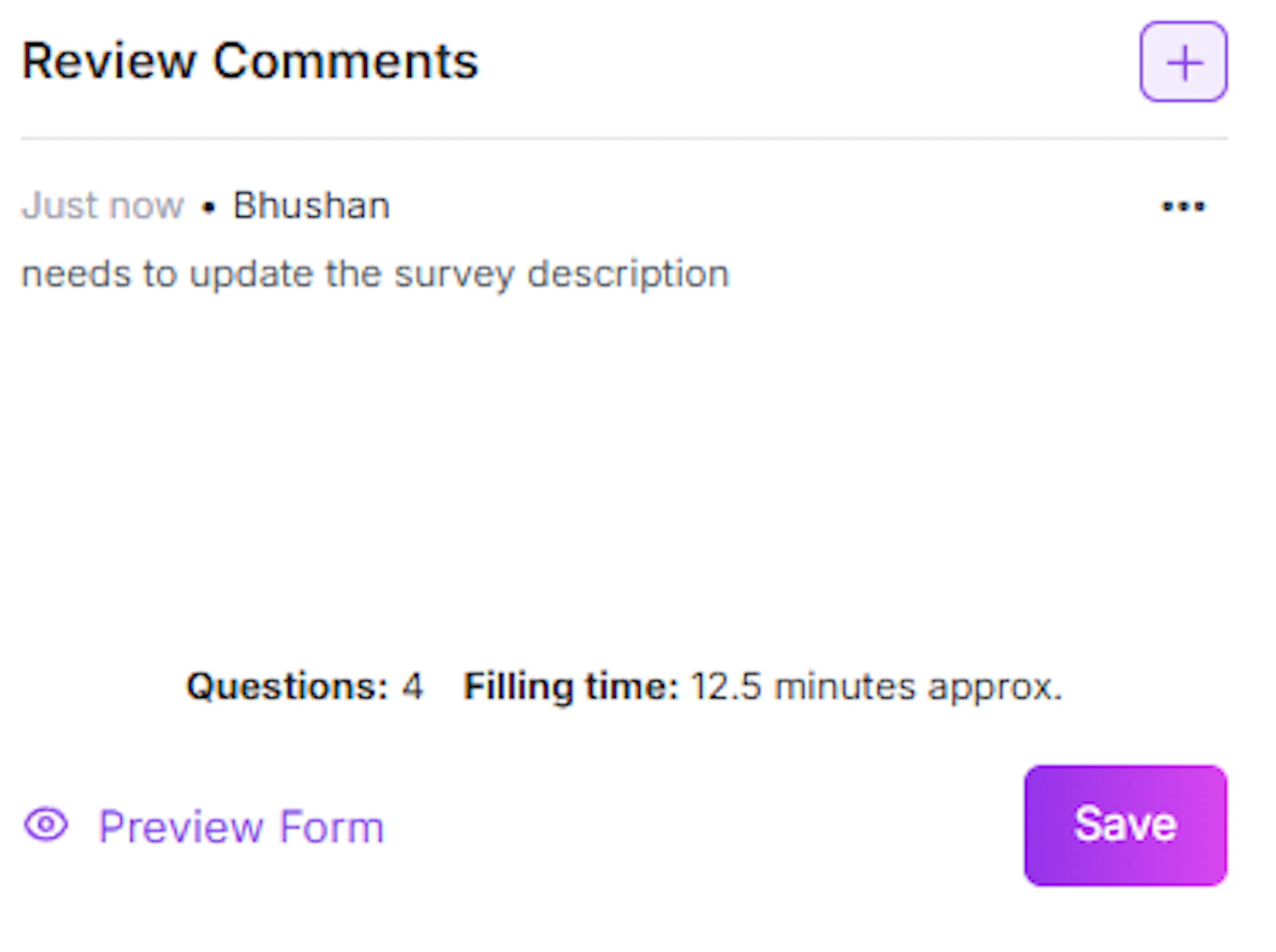
In edit survey these comments will be visible in right pannel there is Review comments section
-
What Can Be Reviewed?
The reviewer typically checks:
-
Question clarity
-
Answer options correctness
-
Logical flow of questions
-
Topic relevance
-
Overall survey structure
Why This Step is Important
Assigning Author and Reviewer ensures:
-
Surveys are error-free and well-structured
-
Feedback is collected through a validated process
-
Collaboration between team members is improved
Best Practices
-
Assign experienced users as reviewers
-
Always review surveys before publishing
-
Encourage reviewers to provide clear and actionable feedback
-
Authors should update surveys promptly after review
This step ensures that every survey goes through a proper review cycle, improving quality and reliability before it reaches recipients.